
Local Weather - Radar & Widget
Huju Network Technology CO., Ltd.Weather
4.017.00 Reviews
- Version
- 2.1.1.0
- Installs
- 100.00K
- Age Rating
- Everyone
Screenshots
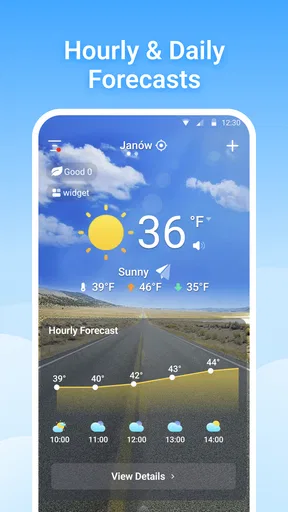
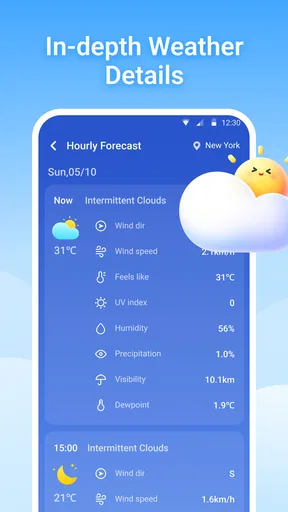
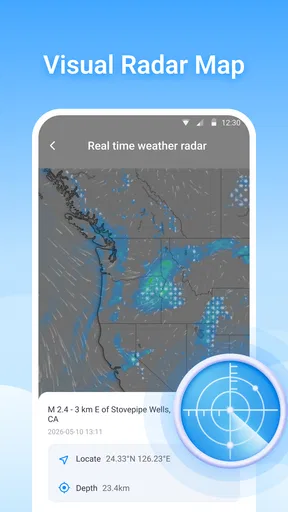
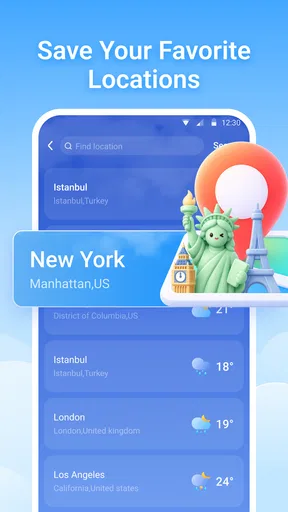
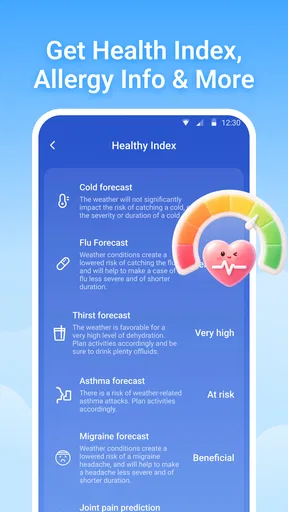
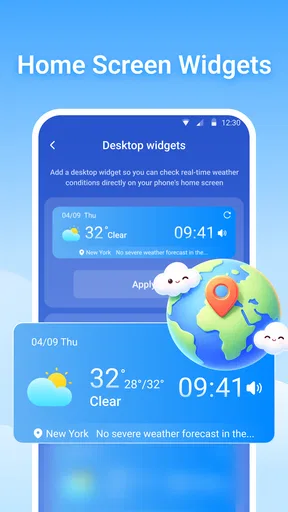
Our Review of Local Weather - Radar & Widget
 Analysis by Appyee
Weather apps are easy to underestimate. Most people open one for a quick answer, but the useful question is rarely just whether rain is expected. I usually want to know whether I should leave now, delay a walk, carry a coat for the evening, or adjust a plan that depends on conditions changing nearby. Local Weather - Radar & Widget is built around that everyday decision-making habit, with a local forecast experience that aims to keep weather information close at hand rather than making me search for it each time.
After spending time with it, I see the app as a practical option for people who prefer a simple weather routine on Android. It is free, rated for Everyone, and developed by Huju Network Technology CO., Ltd. Its current release is version 2.0.0.0, and the app requires Android 9 or later. The most important point is not that it tries to replace every specialist weather tool; it is that it makes checking local conditions feel like a quick part of the day.
Local weather information that supports quick decisions
The central strength here is the focus on your immediate area. That sounds obvious, but it changes how I use a weather app. Instead of opening a broad forecast and interpreting several locations, I can begin with the place that affects my next decision. For commuting, school runs, errands, outdoor exercise, or a short trip across town, that local emphasis is more useful than a long list of distant cities.
The app’s name also points toward a radar-and-widget approach. In practical terms, that makes the experience feel less like reading a full weather report and more like checking a changing situation. A forecast gives me a general expectation, while a visual weather view can help me understand whether a nearby change is relevant to my route. The difference matters when the sky looks uncertain and I need a fast answer rather than a detailed meteorological lesson.
I particularly like this kind of capability for decisions made in short windows. If I am preparing to leave, I do not necessarily need to study the entire day. I need a clear sense of what is happening locally and whether the next part of my journey looks comfortable. The real value is reducing the distance between seeing the forecast and acting on it.
That does not mean a local view can predict every street-level difference. Weather can vary between neighborhoods, especially around hills, coastlines, dense buildings, and open fields. I treat the app as a decision aid, not as a promise that conditions will be identical everywhere I go. That is an important habit with any weather service, and it keeps the radar-style information useful without making me overconfident.
Why the widget matters more than it first appears
A widget can sound like a minor convenience, but it changes the frequency and quality of checking. When the current conditions are visible on the home screen, I am more likely to notice a change before leaving the house. I do not have to interrupt another task, find the app, wait for it to open, and then remember what I saw. That shorter routine is especially helpful on busy mornings.
The best use of the widget is not staring at it throughout the day. I see it as a checkpoint. I glance at it while getting ready, again before heading out, and perhaps once more if plans have changed. This avoids the common mistake of checking the forecast once early in the morning and assuming it will remain equally useful hours later.
There is also a practical trade-off. A home-screen widget occupies space, so it is only worthwhile if weather genuinely affects your routine. Someone who rarely checks conditions may prefer opening an app only when needed. For me, the widget earns its place when I have a commute, outdoor appointment, or travel plan that could be disrupted by a sudden shift.
Using the radar view without overreading it
The radar-oriented part of the experience is most helpful when I use it to answer a narrow question: is weather activity moving toward the area I care about? I do not need to interpret every color or animation as a precise forecast. I look for direction, timing, and whether the pattern appears close enough to affect my next step.
One useful workflow is to check the local conditions first, then use the visual view only when the situation is uncertain. If the day is clearly calm, there is no reason to spend time analyzing the map. If clouds are building or rain seems possible, the radar-style view can add context that a single temperature number cannot provide.
This approach also helps with short trips. Before cycling to a shop or walking to a station, I can compare the planned journey with the nearby weather pattern. I would not use that information to make a safety-critical decision by itself, but it can tell me whether leaving immediately is more sensible than waiting a little while. That is a small feature-level insight, yet it is where the app becomes more useful than a basic temperature display.
Another good habit is to refresh your thinking when the situation changes. A forecast is not a permanent answer. If the wind rises, the sky darkens, or an outdoor event is delayed, I check again instead of relying on the first glance. The app supports that behavior because its local presentation is quick to revisit.
A realistic morning with the app
Imagine a weekday when I need to walk to public transport, spend part of the afternoon outside, and return home after sunset. I start with the widget while getting dressed. It gives me an immediate reason to consider a jacket or umbrella, but I do not stop there. If the conditions look unsettled, I open the app and examine the local weather view before leaving.
That second check is where the app earns its place. I am not trying to plan the entire week. I want to know whether the first part of the journey looks different from the afternoon, and whether a nearby band of rain appears likely to affect the time I will be outdoors. If the answer is unclear, I can build in a little flexibility rather than being surprised halfway through the trip.
Later, before heading home, I check again. This is more reliable than treating the morning forecast as fixed. The routine takes very little effort, but it changes the decision from “I hope the weather stays fine” to “I have checked the local situation before committing to the plan.” That is the kind of everyday benefit I find more convincing than a long list of decorative weather details.
Where it fits among familiar weather alternatives
Compared with a phone’s preinstalled weather panel, this app is more appealing if you want a dedicated local weather habit and a stronger connection between the widget and the visual weather view. The built-in option may be enough for someone who only wants a temperature glance. Local Weather - Radar & Widget makes more sense when seeing nearby changes is part of the decision.
Compared with a specialist weather service, the attraction is simplicity. Advanced services can be better for storm tracking, aviation, farming, hiking, or detailed planning. They may provide more layers, technical charts, or specialized alerts. I would choose one of those tools when the consequences of a forecast are high or when I need expert-level detail. For ordinary errands and commuting, that extra complexity can slow down the answer I actually need.
It also sits between a basic forecast and a full weather dashboard. That middle position is useful, but it means the app will not satisfy everyone. Users who want extensive historical data, highly technical atmospheric information, or a large collection of location-management tools should look toward a more specialized alternative. The right comparison is not “which app has the most information?” but “which app helps me make my usual weather decisions with the least friction?”
Small habits that make the experience more useful
My first recommendation is to choose the widget location carefully. If your day is split between home and work, the most useful location is not always the place where you sleep. A widget tied to the location that controls your next decision can be more valuable than one that simply reflects your current room. I would review that choice whenever my routine changes.
Second, use the visual weather view as a confirmation tool rather than a reason to keep checking endlessly. Open it when the forecast affects a real action: leaving, postponing, carrying equipment, or changing a route. This keeps the app practical and avoids turning a quick utility into another source of distraction.
Third, check at transition points. The most informative moments for me are before leaving home, before starting an outdoor activity, and before returning after several hours away. Those checks are more useful than repeatedly refreshing during a period when nothing about my plans has changed.
Finally, keep a sensible margin for uncertainty. If I am attending an outdoor event, I do not plan around the most optimistic interpretation of the display. I use the app to decide what preparation is reasonable, then allow for conditions to shift. This is especially important when a short shower would have a large effect on the plan.
The friction and limitations I would consider first
The local focus is helpful, but it can also make the app feel narrower if you regularly manage several places. Someone who moves between cities, monitors family members in different regions, or travels often may want a more location-heavy weather service. A local-first design is excellent for routine, but less ideal when the user’s life is spread across many forecasts.
The radar concept also requires a little interpretation. A visual weather layer can look authoritative even when the underlying situation is changing quickly. I would not use it as the sole basis for a dangerous journey, outdoor work in severe conditions, or any decision where an official warning matters more than convenience. In those cases, a dedicated warning source should take priority.
The widget can introduce its own compromise. Home-screen space is limited, and a weather panel must compete with calendars, reminders, music controls, and other tools. If you already have a crowded layout, adding another element may not improve your day. The widget is valuable because it reduces effort, but only if it remains visible and readable in the layout you actually use.
There is also a difference between wanting weather information and wanting weather analysis. I enjoy the app’s directness, but I would not recommend it to someone who expects a deep professional dashboard. Its strongest case is the person who wants local context, a quick visual check, and a convenient home-screen reference without turning every forecast into a research project.
Who is likely to get the most from it?
I think the best match is an Android user with a stable daily routine and plans that are affected by nearby weather. Commuters, parents organizing school journeys, dog walkers, casual runners, cyclists, and people who spend part of the day outdoors can all benefit from seeing local conditions before they commit to leaving.
It is also a sensible choice for people who want a free weather app rather than another paid subscription. The app has passed one hundred thousand installs and holds an average rating of 4.1 from roughly five hundred ratings, which suggests a modest but established user base. Those figures do not decide the experience for me, but they provide useful context: this is not an obscure experiment with no visible adoption.
The Everyone age rating makes it suitable for a broad household audience. I could see it working well on a shared family device where the main requirement is a clear local check rather than a complicated collection of weather tools. Its free pricing removes the need to make a financial commitment before testing whether the widget and radar-centered workflow fit your habits.
I would be more cautious if your needs are specialized. Outdoor professionals, serious hikers, pilots, farmers, event planners, and anyone tracking hazardous conditions should choose a service designed around their specific risks. Likewise, frequent travelers may prefer an app that makes multiple locations central rather than treating one local area as the main starting point.
My recommendation after using the local workflow
Local Weather - Radar & Widget works best when I treat it as a fast planning companion, not as an all-purpose meteorological command center. Its local presentation brings the forecast closer to the decisions people make every day, while the widget reduces the effort needed to check again later. The radar-oriented view adds the most value when conditions are uncertain and I need context around a nearby change.
Huju Network Technology CO., Ltd. has positioned the app in a useful middle ground: more purposeful than a bare temperature panel, but less demanding than a specialist weather platform. I appreciate that balance, although it comes with clear boundaries around multi-location use and high-stakes forecasting.
If your main question is “What should I expect near me before I go out?”, this is a worthwhile free app to try on a compatible Android device. If your question is “How can I analyze weather in technical depth across many places?”, I would choose a more advanced alternative. For everyday local decisions, the combination of a glanceable widget and a nearby visual weather check is the feature that makes it worth keeping.
Privacy and Permissions
See what permissions an app requests and how it handles your data.
- Location
- approximate location (network-based), precise location (GPS and network-based)
- Photos/Media/Files
- read the contents of your USB storage
- Storage
- read the contents of your USB storage
- Wi-Fi connection information
- view Wi-Fi connections
- Other
- view network connections, connect and disconnect from Wi-Fi, full network access, run at startup, prevent device from sleeping, Google Play license check
Verdict
Strengths of Local Weather - Radar & Widget
- Accurate local forecasts with useful hourly and daily details.
- Radar maps help track approaching rain and storms.
- Customizable widgets provide quick weather updates.
- Supports multiple saved locations for travel planning.
- Clean interface is easy to navigate for most users.
Limitations of Local Weather - Radar & Widget
- Some advanced radar features may require a subscription.
- Advertising can feel intrusive in the free version.
- Forecast accuracy may vary in remote or rural areas.
- Widgets can use additional battery and background data.
- Frequent alerts may need manual adjustment to avoid clutter.
Other Releases by Huju Network Technology CO., Ltd.
View All
GPS Location Tracker & Share
Maps & Navigation4.1
Similar Picks in This Category
View All
Weather - By Xiaomi
Xiaomi Inc.4.1

Weather & Radar Forecast
WetterOnline4.8

Weather
OneLouder Apps4.6

AccuWeather: Weather Radar
AccuWeather3.6

The Weather Channel - Radar
The Weather Channel4.6

1Weather Forecasts & Radar
OneLouder Apps4.3
Frequently Asked Questions
What is Local Weather - Radar & Widget used for?
Local Weather - Radar & Widget is designed to provide quick access to current conditions, short-term forecasts, and weather radar information. After setting your location, you can check details such as temperature, precipitation, wind, humidity, and forecasts directly in the app. Its widget is especially useful for viewing essential weather information without opening the full application.
Does Local Weather - Radar & Widget require my exact location?
The app may request location access so it can automatically display weather conditions for your current area. You can usually choose whether to allow precise or approximate location access, depending on your device and operating system. If you prefer greater privacy, you can deny permission and enter a city or location manually, although automatic updates may be less convenient.
How accurate are the forecasts and radar maps?
Forecast accuracy depends on the weather data provider, your location, and how quickly conditions are changing. The app can be helpful for everyday planning, but radar and forecasts are not guaranteed to be perfect, particularly during severe storms or in remote areas. For dangerous weather, it is sensible to compare the information with official local alerts and emergency services.
Does the app include widgets and severe weather notifications?
Local Weather - Radar & Widget focuses on convenient weather access through forecast screens, radar views, and home-screen widgets. Depending on the version, device settings, and subscription or regional availability, it may also offer alerts for rain, storms, or other weather events. Notifications and widgets require the appropriate permissions, and battery-saving settings can affect how frequently they update.
Is Local Weather - Radar & Widget free to download?
The application may be available as a free download, but some features can depend on advertising, in-app purchases, or a premium plan. Advanced radar layers, extended forecasts, removal of advertisements, or additional customization may not be included in the basic version. Before installing, check the current store listing for pricing, trial conditions, and any recurring subscription details.
